

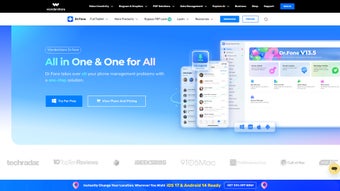
Description
Download Wondershare DemoCreator – Free Screen Recording & Video Editing Tool for Windows, Mac, Android, iOS
Wondershare DemoCreator is a powerful, user-friendly screen recording and video editing tool designed to help educators, content creators, and professionals produce high-quality video content with minimal effort. Whether you're creating online tutorials, software demos, or training presentations, this software streamlines the entire process—from capturing your screen to publishing your final video. With its intuitive interface and robust feature set, Wondershare DemoCreator stands out as one of the best free screen recording tools available for Windows, Mac, Android, and iOS users. It supports real-time screen capture, webcam integration, and advanced editing tools that allow you to annotate, highlight, and add animations to your videos. The ability to export in multiple formats—including AVI, MP4, and MOV—ensures compatibility across devices and platforms. Plus, with direct YouTube upload options, sharing your work has never been easier.
Key Features of Wondershare DemoCreator
Wondershare DemoCreator is packed with features that make screen recording and video editing accessible to users of all skill levels. One of its standout features is real-time screen recording, allowing you to capture your entire desktop or a specific window with high clarity and minimal lag. Whether you're demonstrating a software workflow or teaching a new concept, the tool ensures smooth, crisp visuals. The software also supports simultaneous webcam recording, so you can overlay your face while narrating your screen, adding a personal touch to your content.
Another major advantage is the built-in video editing suite. After recording, you can trim clips, adjust audio levels, add transitions, and insert text overlays. The smart annotation tools let you draw attention to specific areas using arrows, circles, and highlighters. You can even use animated effects like zoom-ins and fade-ins to emphasize key moments. For those who want to enhance their storytelling, the software includes a library of royalty-free music and sound effects.
Wondershare DemoCreator also offers automatic subtitle generation using AI-powered speech recognition. This feature saves hours of manual captioning and improves accessibility. Additionally, the export flexibility is impressive—videos can be saved in various formats (MP4, AVI, MOV) and resolutions (up to 4K), making it suitable for both web and offline use. With direct YouTube upload integration, you can publish your videos in just a few clicks. All these features combine to make Wondershare DemoCreator a comprehensive solution for anyone who needs to create professional-grade video content.
How to Install and Use Wondershare DemoCreator
Installing Wondershare DemoCreator is a straightforward process, whether you're using Windows, Mac, Android, or iOS. Start by visiting the official Wondershare website and downloading the appropriate version for your device. The installer is lightweight and installs quickly, typically taking less than two minutes. Once installed, launch the app and go through the quick setup wizard, which guides you through setting your default recording area, microphone input, and output preferences.
For your first recording, click the Record button and choose between full-screen, window, or custom area recording. You can also enable the webcam to record yourself while speaking. Before starting, use the Settings menu to adjust frame rate, audio quality, and video resolution. Once everything is set, click the red record button and begin your screen activity. The software runs in the background with a small floating toolbar, allowing you to pause, stop, or take screenshots at any time.
After recording, you’ll be taken to the Editor interface. Here, you can trim clips, remove unwanted sections, and add transitions between scenes. Use the Annotation Tools to circle important elements, draw arrows, or add text. The AI Subtitle Generator automatically transcribes your narration and syncs the text with the video. You can customize font style, color, and timing. Finally, click Export to save your video in your preferred format or directly upload it to YouTube. The entire workflow—from recording to publishing—is intuitive and efficient, even for beginners.
Compatibility and System Requirements
Wondershare DemoCreator is designed to run smoothly across multiple platforms, making it a versatile choice for users with diverse devices. The software is fully compatible with Windows 10/11 and macOS 10.14 or later, ensuring broad accessibility for desktop users. For mobile users, there are dedicated Android and iOS versions, allowing you to record and edit videos on the go. This cross-platform support means you can start a project on your laptop and finish it on your tablet or smartphone.
System requirements are modest, so even mid-range computers can run the software without performance issues. On Windows, you’ll need at least 2 GB of RAM, 500 MB of free disk space, and a graphics card that supports DirectX 9.0 or later. For Mac users, the app requires macOS 10.14 or higher, 2 GB RAM, and 500 MB of available storage. The mobile versions are optimized for touch interfaces and work efficiently on devices with Android 7.0+ and iOS 11.0+.
Additionally, Wondershare DemoCreator supports a wide range of input sources, including internal and external microphones, HDMI inputs, and USB webcams. This flexibility ensures you can capture high-quality audio and video regardless of your setup. The software also integrates with cloud storage services like Google Drive and Dropbox, allowing for easy backup and sharing. Whether you're working from home, in a classroom, or on a business trip, Wondershare DemoCreator adapts to your environment seamlessly.
Pros and Cons of Wondershare DemoCreator
- Pros:
- Free to download and use with no hidden costs
- High-quality screen recording with real-time webcam integration
- Intuitive interface suitable for beginners and experts alike
- Advanced editing tools including AI subtitles and annotations
- Direct YouTube upload and export to multiple formats (MP4, AVI, MOV)
- Supports Windows, Mac, Android, and iOS
- Lightweight installation and low system resource usage
- Cons:
- Watermark on free version videos (removable via paid upgrade)
- Advanced features like AI voiceover and premium effects require subscription
- Mobile versions have fewer editing tools compared to desktop
- AI subtitle accuracy can vary slightly with strong accents or background noise
- Limited customization options in the free version
Frequently Asked Questions (FAQ)
Conclusion: Why You Should Download Wondershare DemoCreator Today
Wondershare DemoCreator is a top-tier screen recording and video editing tool that delivers exceptional value—especially in its free version. Whether you're an educator creating lesson videos, a marketer producing product demos, or a freelancer building client presentations, this software empowers you to create professional content with ease. Its combination of powerful recording, intelligent editing, and seamless sharing options makes it a must-have tool in your digital toolkit.
With support for Windows, Mac, Android, and iOS, you can work across devices without missing a beat. The intuitive design ensures a smooth learning curve, while the AI-powered features like automatic subtitles and smart annotations save you time. While the free version includes a watermark, the core functionality is robust enough to meet most users’ needs.
Ready to create stunning videos? Download Wondershare DemoCreator today—free, secure, and packed with features to elevate your content.
Guides & Tutorials for Wondershare DemoCreator
How to install Wondershare DemoCreator
- Click the Preview / Download button above.
- Once redirected, accept the terms and click Install.
- Wait for the Wondershare DemoCreator download to finish on your device.
How to use Wondershare DemoCreator
This software is primarily used for its core features described above. Open the app after installation to explore its capabilities.
User Reviews for Wondershare DemoCreator 0
No reviews found





